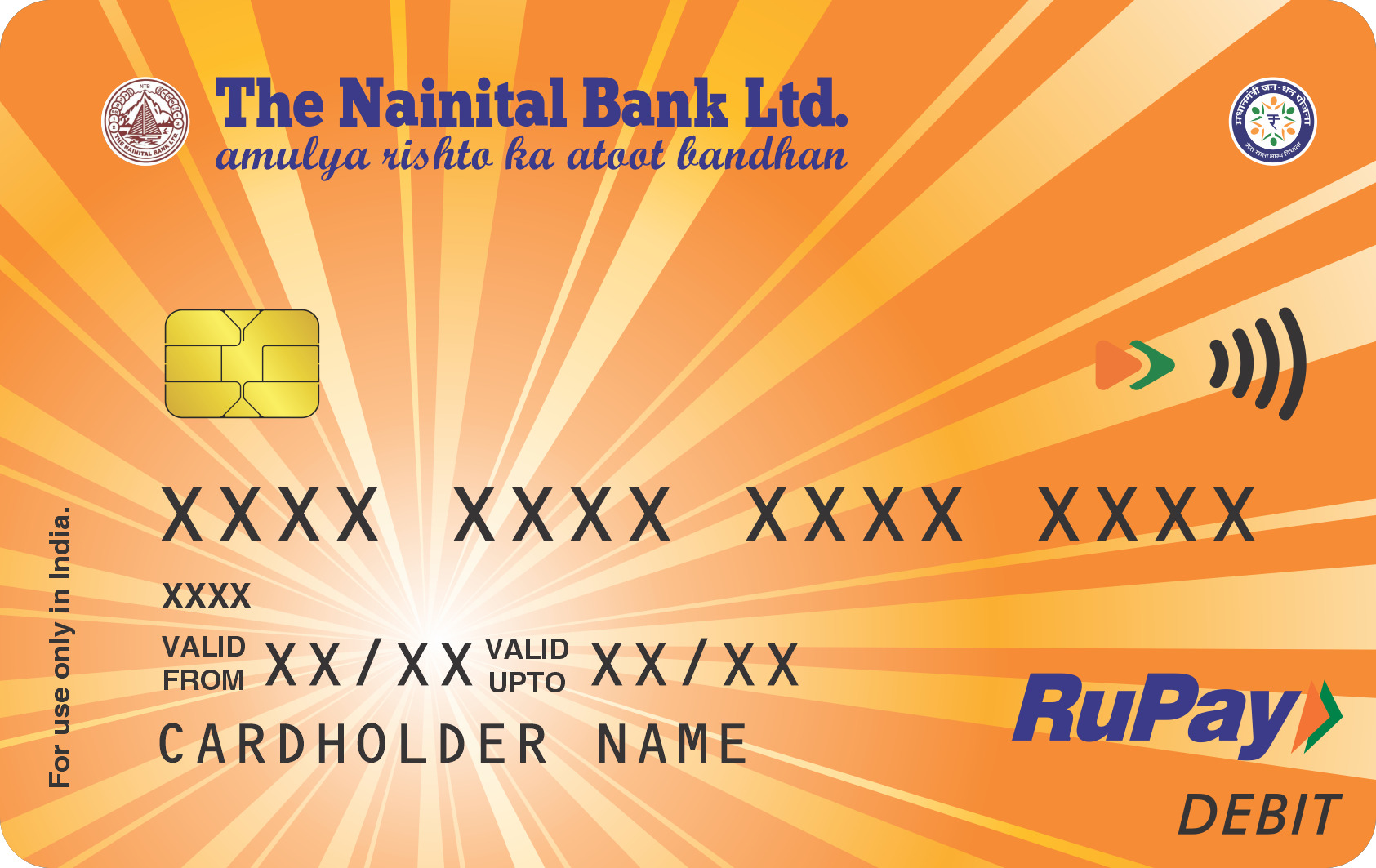
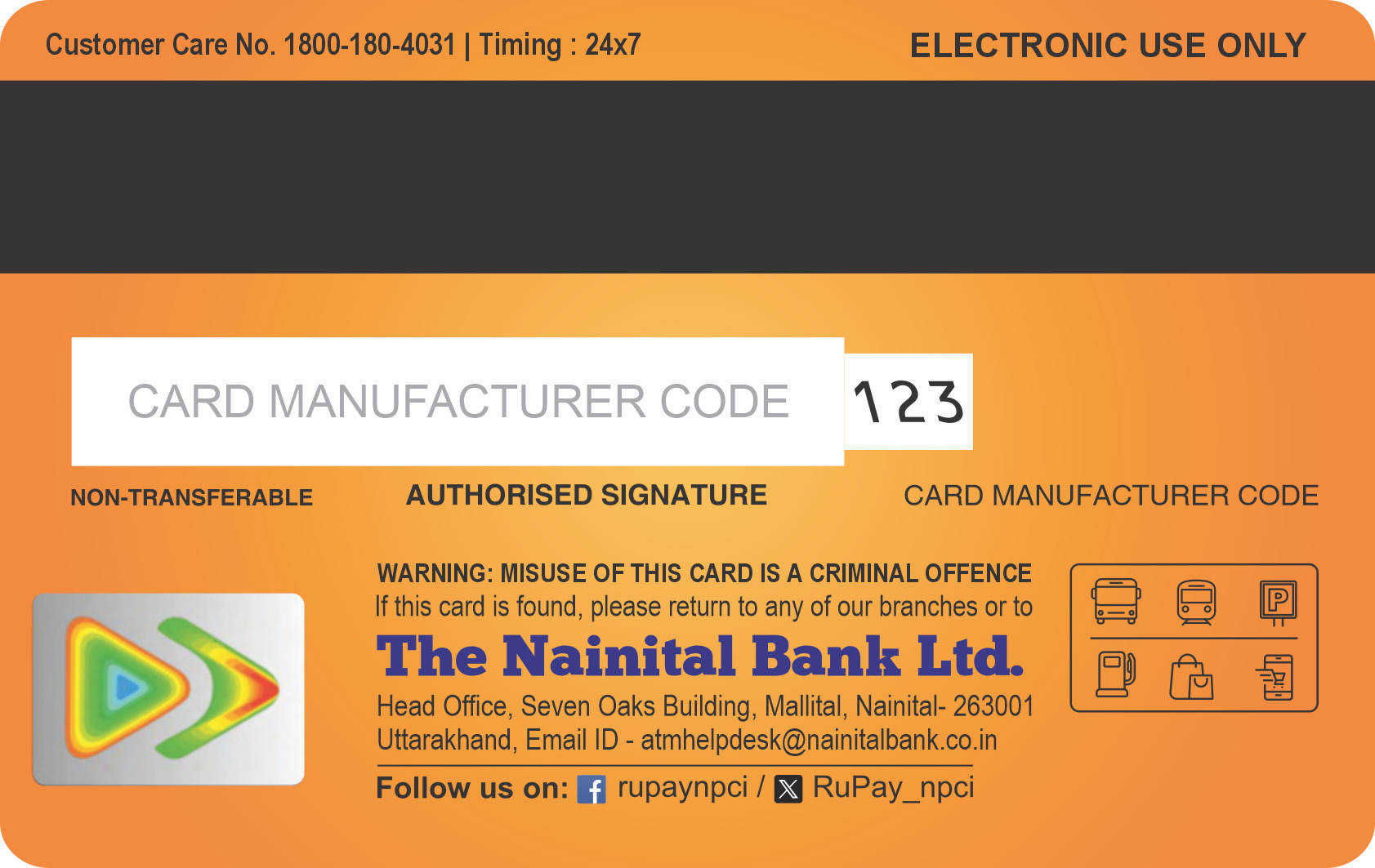
NAINITAL BANK DEBIT CARD
Welcome to the exclusive world of Digital Banking offered by Nainital Bank. The Nainital Bank Ltd offers RuPay Debit Card to optimize convenience of Banking to you. Now you can enjoy the pleasure of anywhere anytime Banking. Your NainiBank RuPay Debit card lets you conveniently access your account through Debit Cards as well as PoS terminals with Merchant Establishments anywhere in India displaying RuPay logo.
There are many benefits of Nainital Bank RuPay card and using it for online purchase is one of them. Online transactions using Bank's debit card can be done through PaySecure, a secured payment service subject to the condition that customer has successfully registered with PaySecure by successfully transacting for the first time. Nainital Bank Debit card holders can make use of card for doing on-line transactions through merchant websites or aggregators.
Key Benefits and Features:
Widely Accepted: There are around 145,270 ATMs and more than 875,000 point of sale(PoS) terminals in India under the RuPay platform. In addition to the ATMs and PoS terminals, RuPay cards are accepted online on 10,000 e-commerce websites with the same PIN which they use for ATM transactions.
Highly Secure: RuPay chip cards have an embedded microprocessor circuit containing information about the card holder and because transactions are PIN-based rather than signature-based for high security.
Protection of information related to consumers.
User Friendly: Simplified Transaction Flow /Effortless Authentication Process.
Faster Transaction Processing: The cardholder has to enter just the card details and One Time Password (OTP) to complete the transaction.
Debit Card Fee Charges :
The details of applicable fees and charges for issuance/renewal usage of the Card are as follows:
- Annual fees after one year: Rs.200/-p.a. + (applicable taxes)
- Cash withdrawal/Balance enquiry at other Banks ATM ( Charges* per transaction; excluding applicable taxes)-
Financial Transaction- Rs. 23/-
Non Financial Transaction- Rs. 10/-
First 5 transactions in a month are free.
3. Card reissuance upon loss or spoilage: Rs. 200/- + (Taxes) per replacement.
A Customer can withdraw cash up to a maximum of Rs.20000/- and make purchases up to a maximum of Rs.45000/- per day subject to availability of clear balance in the Account (s).
Debit Card Forms:
Debit Card Help Desk Number & E-mail ID:
Debit Card Help Desk TOLL FREE no: 1800-180-4031
Debit Card Help Desk Land Line Number: 05946 250152
Debit Card Help Desk E-mail id: atmhelpdesk@nainitalbank.co.in
To Block Debit Card instantly:
Debit Card Help Desk TOLL FREE no: 1800-180-4031
Debit Card Help Desk Land Line no: 05946 – 250152
Debit Card Help Desk E-mail id: atmhelpdesk@nainitalbank.co.in
Terms and Conditions of Usage
- Account/s mean/s Cardholder's savings and/or current/overdraft account designated by the Bank to be eligible account/s for operations through the use of the Card.
- Account Statement means a statement of account or the passbook issued by the Bank to a Cardholder setting out the transactions carried out and balance in the Account as on a given date, and any other information the Bank may deem fit to include.
- ATM means any Automated Teller Machine in India, whether of the Bank or of a specified Shared Network, at which, amongst others, the Cardholder can use his/her Card to access his/her funds in the Account held with the Bank.
- The 'Bank' means The Nainital Bank Ltd.
- Card means NainiBank RuPay Debit-cum- ATM Card.
- Cardholder means a customer of the Bank to whom a Card has been issued and who is authorised to hold the Card
- Charge means a charge incurred by the Cardholder for purchase of goods or services on the Card or any other charge as may be included by the Bank/merchant from time to time
- Merchant Establishment (ME) means commercial establishments of any nature, wherever located, which honour the Card for transactions with them.
- Merchant means any person who owns or manages or operates at Merchant Establishment (ME).
- Personal Identification Number (PIN) is a four digit confidential number given to the Cardholder by the Bank, while issuing the card or later selected by him from time to time, which is used to identify the customer at an ATM or a PoS terminal for putting through transactions.
- PoS Terminal means point of sale electronic terminal at ME in India capable of processing the transactions and at which, amongst others, the Cardholder can use his card to access his/her funds in his/her Account held with the Bank to make purchases.
- Primary Account means the first account in the Accounts Particulars in the application for a card for the purpose of card operations.
- Shared Network means RUPAY CARD networks, or any other networks like NFS or any other Banks' private network called any name.
- Transaction means any instruction given by a cardholder by using his card directly or indirectly, to the Bank to effect some action on the account.
- RUPAY regulation means regulations issued by RUPAY to its franchisee/ member banks
Savings accounts with cheque book facility/ Current /Overdraft accounts in individual capacity are eligible for issue of Card. In case of joint accounts, only such accounts as are permitted to be operated upon singly shall be eligible for issuance of card. Accounts operated by joint signature or account of a minor or an account in which a minor is a joint account holder shall not be eligible.
The Card is valid for use at ATMs of the Bank, approved ATMs of RuPay displaying the logo. The card can also be used at any PoS terminal in India displaying RuPay Logo. However, the Card is not valid for payment in foreign exchange. The Card is valid up to the last working day of the month and the year indicated on the Card.
To enable the Cardholder to use the Card, the cardholder must generate a Personal Identification Number (PIN) using SARVATRA CARDSAFE Application as mentioned in the "GREEN PIN GENERATION" tab. The changed PIN should be used by the Cardholder for all his future transactions till he/she changes the PIN again.
Under no circumstances the Card- holder should disclose his/her PIN to anyone including a joint account holder and the Bank. The cardholder shall be solely responsible for the consequences arising out of disclosure of his/her PIN, including any unauthorized use of the card. Any instructions given by means of the card and the PIN, whether in conjunction or independently shall be deemed to be instructions given by the Cardholder and the Bank shall be entitled to assume that those instructions are given by the Cardholder.
- If a Card is lost or stolen, the Cardholder must file a report with the local police and send a copy of the same to the Bank. The Cardholder will be liable for all charges incurred on the Card until the Card is hot listed / cancelled. The Cardholder may report a Card loss over the telephone or by way of written communication to his/her base branch of the Bank or designated agency. The Bank upon adequate verification will temporarily suspend the Card, and will subsequently hotlist / cancel the card during working hours on a working day following the receipt of such intimation.
- Once a Card is reported lost or stolen and is subsequently found, the same should be promptly cut in half and returned to the Bank. Bank is not responsible for the security of the Card. He/she shall take all steps to keep the card safe. Only the Card- holder has to suffer and bear the financial liability on the lost or stolen Card. Provided that the Cardholder has complied with the terms and conditions in all respects, a replacement card may be issued at the sole discretion of the Bank.
Card broken/damaged while in use or otherwise or lost however, will be replaced at a cost decided by the Bank from time to time. A replacement Card may, however, be issued at the Bank's discretion against (i) a fresh application and (ii) a suitable indemnity in case of a lost Card or surrender of the Card if it is broken/ damaged as the case may be. The Card issued to the Cardholder shall remain the property of the Bank and will be surrendered to the Bank, on request or in the event the card is no longer required by the cardholder. The Cardholder shall return the Card to the Bank for cancellation in the event the services are no longer required by the Cardholder or if the services are withdrawn by the Bank for any reason whatsoever. The Bank, may, in its absolute discretion issue a replacement Card with a new PIN for any lost or stolen Card or a new PIN on the existing Card, or issue a renewal Card with a new or the same PIN on the same terms and conditions or such other terms and conditions as the Bank may deem fit. Subject to the foregoing provisions, the Cardholder will not hold the Bank liable in case of improper / fraudulent / unauthorized / erroneous use of the Card or through a duplicate card and/or the PIN in the event of the Card falling in the hands of or through the PIN coming to the knowledge of any third party.
- The Cardholder may discontinue this facility any time by a written notice to the Bank and returning the Card to the Bank cut into two pieces diagonally. The Cardholder shall be liable for all charges incurred on the card. The Bank shall be entitled to discontinue this facility at anytime by canceling the Card with or without assigning any reason whatsoever.
- If the Cardholder desires to close the Primary Account or even otherwise decides to terminate the use of the Card facility, he shall give the Bank not less than TWO working days' notice in writing and forth with surrender the Card to the Bank at the Card-Issuing Branch and obtain a valid receipt thereof.
- The Bank may in its absolute discretion renew a card upon payment of prescribed charges. The Bank shall be entitled in its absolute discretion to refuse to issue / renew a Card to any Cardholder or withdraw the Card and/ or services provided at any time. The Bank shall terminate the Card facility with immediate effect upon the occurrence of any of the following events:
- Failure to adhere to or comply with the terms and conditions herein set forth and also the terms and conditions that are applicable to cardholder's account/s with the Bank
- In the event of default under any agreement or commitment (contingent or otherwise) entered into with the Bank
- The card holder becoming the subject of any bankruptcy, insolvency proceeding or proceedings of similar nature
- Demise of the card holder.
- Reported lunacy/insanity/unsound mind of the Cardholder.
- If the Bank deems that the facility is being misused/improperly used in any way.
- If any adverse report is received from any of the Banks/Branches in the network. The Card shall be made non operational in case of Primary account being made inoperative by the Bank. Not withstanding termination of the ATM Card facility, the transactions already processed but reported to the Cardholder's branch after the termination shall be put through the Cardholder's Account.
- The Card is not transferable and shall be used only by the Cardholder.
- The Cardholder shall at all times ensure that the Card is kept at a safe place, and shall under no circumstances whatsoever allow the Card to be used by any other individual. The Cardholder will sign on the reverse of the card in the signature panel immediately upon receipt of the card from the Bank.
- The Card is the property of the Bank and must be returned to an authorized person of the Bank on request or in the event of Cardholder no longer requiring the services. The Card- holder shall ensure that the identity of the authorized person of the Bank is established before handing over his Card.
- The Cardholder will be responsible for all facilities granted by the Bank in respect of the Card and for all related charges.
- The Cardholder agrees that in case he/she has multiple accounts with the Bank, the Bank shall have the right to decide the number of accounts, which will have the Card facility on them.
- In case of Cards linked to multiple Accounts, Transactions at Shared Networks and Merchant establishments will be effected on the Primary Account. In case there are no funds in this Account, the Bank will not honor the Transactions even if there are funds available in the other Accounts linked to the same card.
- Transfer of primary account or any change in operational mode thereof will not be allowed unless the Card is surrendered and dues, if any, against it, are paid.
- The Bank will debit the Accounts linked to the Card for the value of all purchases of goods or services, cash, fees, charges and payments payable by the use of the Card
- The annual fee for the Card will be debited to the Primary Account linked with the Card on application/renewal at the Bank's prevailing rate. The fee is not refundable
- The Cardholder shall maintain at all times such minimum balance in the Account as Bank may stipulate from time to time. The Bank reserves the right at any time to charge the Cardholder for the issue or reissue of a Card and/or any fee/charges for the transactions carried out by the Cardholder on the Card.
- Any government charges, duty or debits, or tax payable as a result of the use of the Card shall be the Cardholder's responsibility and if imposed upon Nainital Bank (either directly or indirectly), the Bank shall debit such charges, duty or tax against the Account. In addition, operators of Shared Networks may impose an additional charge for each use of their ATM/ PoS Terminal/other device, and any such charge along with other applicable fee/charges will be deducted from the Cardholder's Account. There will be separate service charges levied for such facilities as may be announced by the Bank from time to time and deducted from the Cardholder's Account. In a situation where the Account does not have sufficient funds to deduct such fee/charges, the Bank reserves the right to deny any further Transactions through the card. In case of Accounts classified as overdrawn Accounts, the Cardholder will have to rectify the Account balance position immediately. In every such situation where the Account gets overdrawn, a flat charge could be levied in addition to the interest to be charged on the debit balance in the Account. This charge will be determined by the Bank and will be announced from time to time.
- In the event of an Account being overdrawn due to Card Transactions, the Bank reserves the right to setoff this amount against any credit lying from any of the Cardholder's other Accounts held jointly or singly without giving any notice. Nothing in the Terms shall affect the Bank's right of setoff, transfer and application of monies at law or pursuant to any other agreement from time to time subsisting between the Bank and Cardholder. The Cardholder also authorizes Bank to deduct from his/her Account and indemnifies the Bank against any expenses it may incur in collecting money owed to it by the Cardholder in connection with the Card (including without limitation reasonable legal fees).
- The Bank may, at its discretion levy penal charges for non-maintenance of the minimum balance in the account. In addition to the minimum balance stipulation Bank may levy service and other charges for use of the Card, which will be notified to the Cardholder from time to time
- The Cardholder authorizes Bank to recover all charges related to the Card as determined by Bank from time to time by debiting the Account linked with the Card. Details of the applicable fee and charges as stipulated by Bank will be displayed on the website and / or at the branches.
- The Cardholder shall accept the Bank's record of the transactions as conclusive and binding for all purposes. The printed output that is produced at the time of operation of the ATMs is the record of the Cardholder's operations on the ATM and shall not be construed as the Bank's record for this purpose. Transactions conducted after the normal business hours of the bank/branches would be reflected in the Bank's book of accounts on the next business day. For the purpose of levy of charges/interest etc., the actual date of transactions will be reckoned.
- The Cardholder should inform the Bank in writing within 15 days from the date of transaction if any irregularities or discrepancies exist in the Transactions / particulars of the Account. If the Bank does not receive any information to the contrary within 15 days, the Bank would assume that the Account Statement and the Transactions recorded therein are correct.
- To ensure the Cardholder's interest, the Bank may record on camera or on videotape, at its own discretion, the access to and the presence of any person while availing the use of the Card facilities. All records maintained by the Bank, in electronic or documentary form, of the instructions of the Cardholder and such other details, and all camera/video recording made as mentioned above, shall as against the Cardholder, be deemed to be conclusive evidence of such instructions and such other details.
- At no time shall the Cardholder use or attempt to use the Card, (a) for withdrawal or transfer (within permitted limit) unless there are sufficient funds in the Accounts and/or (b) for withdrawal or transfer with intention to default payment of his cheque/s issued to other parties. In case an ATM/or PoS terminal debit and clearing cheque are presented simultaneously in an account, the ATM/or PoS terminal debit would be accorded first priority over the cheque and in the event of insufficient funds after ATM/or PoS terminal debit, the cheque would be returned by the Bank. It will be the responsibility of the account holder to maintain sufficient funds for cheque and other transactions.
- The Card is operable with the help of the confidential PIN at ATM/PoS locations. All Transactions conducted with use of the PIN will be the Cardholder's responsibility and he/she will abide by the record of the transaction as generated. When the Cardholder completes a transaction through an ATM, he can opt to receive a printed transaction record. The amount of available funds is shown on this ATM receipt when he/she uses his/her card.
- Subject to availability of facility under the card, there shall not be any signed receipts for deposits. Transactions of deposits shall be subject to verification by the Bank's officials or its designated persons, when the deposit envelopes are opened and cash/cheque (s) is/are verified. In case of any discrepancy whatsoever, the Bank's decision shall be final and binding upon the Customer. Deposit involving mutilated or soiled notes will be subject to final acceptance/ reimbursement by R.B.I, as per their Note Refund Rules. Cheques will be accepted for collection only and the proceeds will not be available until they have been cleared. Any deposits of foreign currency or otherwise considered unacceptable will be returned at the Card- holder's cost, risk and responsibility. Collection and credit of proceeds of cheques is subject to the relevant provisions of the Negotiable instruments Act.
- Subject to availability of facility under the card, all transactions, in particular deposit of cash and cheques, shall be subject to delay, due to transit period. The Bank shall not be responsible for any loss or damage or inconvenience caused to the Cardholder due to such delays.
- The Cardholder should retain the record of Transactions generated by the ATM with him/her.
- The Cardholder agrees that he/she will be allowed to withdraw cash up to a maximum of Rs.20,000/- and make purchases up to a maximum of Rs. 45,000/- per day subject to availability of clear balance in the Account (s) or any such maximum withdrawal / purchase limits decided by the Bank from time to time. Any attempt to violate these limits would lead to withdrawing of his/her Card facility. The Cardholder agrees not to attempt to withdraw /purchase using the Card unless sufficient funds are available in the Account. The onus of ensuring adequate Account balance is entirely on the Cardholder.
- The Card is acceptable at all MEs in India which display the logo of the Bank/ RUPAY CARD and which have a POS terminal. The Card is for electronic use only. The Cardholder must key in PIN and sign a Sales Slip whenever the Card is used at a Merchant Establishment and should retain his/her copy. The Bank at an additional charge may furnish copies of the Sales Slip as per RUPAY CARD rules upon cardholder's request within 30 days of transaction date. Any Sales Slip not personally signed by the Card- holder, but which can be proved as being authorized by the Cardholder, will be his/her liability. The amount of the transaction is debited from the Primary Account linked to the Card immediately. The Card is operable with the help of the Cardholder's signature and the PIN at PoS terminals installed at Merchant locations depending on the functionality of the PoS terminal.
- The Bank will not be responsible for any dealings the Cardholder may have with the Merchant including but not limited to the supply of goods and/or services. Should the cardholder have any complaints concerning any Merchant Establishment, the matter should be resolved by the Cardholder with the Merchant Establishment and failure to do so will not relieve him from any obligations to the Bank. However, the Cardholder should notify the Bank of this complaint immediately for action by the Bank as per RuPay CARD rules.
- The Bank accepts no responsibility for any surcharge levied by any Merchant Establishment and debited to the Cardholder's Account with the Transaction amount.
- Any charge or other payment requisition received from an ME by the Bank for payment shall be conclusive proof that the charge recorded on such requisition was properly levied by the ME for the amount and accepted by the Cardholder using the Card referred to in that charge or other requisition except where the Card has been lost or stolen and such loss was duly reported to the police and intimated to the Bank in terms of clause 5(a) above,
- If any Cardholder claims that the card was used fraudulently, the burden of proof of fraud lies with the Cardholder. The Bank does not undertake any responsibility of any loss if incurred by the cardholder on account of such fraudulent usage
- In case a cardholder wishes to cancel a completed transaction due to an error or on account of merchandise return, the earlier sales receipt must be cancelled by the Merchant at their discretion and a copy of the receipt for cancellation transaction must be retained by the Cardholder. Reversal/debits due to such transactions will be processed manually. It is necessary for the cardholder to produce the sales receipts for the cancellation transaction for effecting the reversals
- The card should not be used for any mail order/phone order/ internet purchases and any such usage will be considered as unauthorized and the Cardholder will be solely responsible for all such transactions.
- In consideration of the Bank providing the Cardholder with the facility of the Card, the Cardholder hereby agrees to indemnify and keep the Bank indemnified from and against all actions, claims, demands, proceedings, losses, damages, personal inquiry costs/ charges and expenses which the Bank may at any time incur, sustain, suffer or be put to as a consequence of or by reason of or arising out of providing the Cardholder the said facility of the Card or by reason of the Bank's acting in good faith and taking or refusing to take or omitting to take action on the Cardholder's instructions and in particular arising directly or indirectly out of the negligence, mistake or misconduct of the Cardholder; breach or non-compliance of the rules, terms and conditions relating to the Card and the Account and/ or fraud or dishonesty relating to any Transaction by the Cardholder or his/her employee or agents.
- The Cardholder agrees to indemnify the Bank for any machine/mechanical error/failure. The Cardholder shall also indemnify the Bank fully against any loss on account of misplacement by the courier or loss-in-transit of the Card/PIN.
- Without prejudice to the foregoing, the Bank shall be under no liability whatsoever to the Cardholder in respect of any loss or damage arising directly or indirectly out of:
- Any defect in quality of goods or services supplied by MEs.
- The refusal of any person to honor or accept a Card.
- The malfunction of any computer terminal, ATM or PoS terminal
- Effecting Transaction instructions other than by a Cardholder.
- Handing over of the card by the Cardholder to anybody other than the designated employees of the Bank at the Bank's premises
- Non availability of services at any ATM or PoS due to technical reasons
- The exercise by the Bank of its right to demand and procure the surrender of the Card prior to the expiry date printed on its face, whether such demand and/or surrender is made and/or procured by the Bank or any person or computer terminal ATM or PoS terminals
- The exercise by the Bank of its right to terminate any Card.
- Any mis-statement, misrepresentation, error or omission in any detail disclosed to the Bank.
- Except as otherwise required by law, if the Bank receives any process summons, order, injunction, execution decree, lien, information or notice which the Bank in good faith believes that it puts into question the Cardholder's ability or the ability of someone purporting to be authorized by the Cardholder to transact on the Card and/ or the liability on the Cardholder or such other person, the Bank may decline to allow the Cardholder to obtain any portion of his/her funds, and/ or pay such funds over to an appropriate authority and take any other steps required by applicable law.
- The Bank reserves the right to recover from the Cardholder's Account a reasonable service charge and any expenses it incurs, including but not limited to reasonable legal fees, due to legal action involving the Cardholder's Card.
- In case the account gets overdrawn due to any reason, the Cardholder should provide enough funds to bring it in credit. For every occasion when the account is overdrawn, a flat fee is levied in addition to the interest. The flat fee and interest shall be recovered at the rate determined by the Bank from time to time.
- In the event of an Account being over drawn due to Card Transaction, the Bank reserves the right to set off this amount against any credit lying in any of the Cardholder's other accounts held singly or jointly without giving any notice, wherever applicable.
- Nothing in the Terms shall affect the Bank's right of setoff, transfer and application of monies at law or pursuant to any other agreement from time to time subsisting between the Bank and Cardholder
- The details of applicable fees and charges for issuance/renewal usage of the Card is as under:
- please refer to the service charges booklet of the bank
- The Bank accepts no responsibility for refusal by any Merchant Establishment to accept and/or honor the Card. In case of dispute pertaining to a Transaction with a Merchant Establishment, a sales slip with the signature of the Cardholder together with the Card number noted thereon shall be conclusive evidence as between the Bank and the Cardholder as to the extent of liability incurred by the Cardholder and the Bank shall not be required to ensure that the Cardholder has duly received the goods purchased/to be purchased or has duly received the service availed/ to be availed to the Cardholder's satisfaction.
- A sales slip with the signature of the cardholder together with the card number noted thereon shall be conclusive evidence as between the Bank and the cardholder as to the extent of liability incurred by the cardholder. The Bank shall make bonafide and reasonable efforts to resolve an aggrieved cardholder's disagreement with the charge indicated in the statement.
- Within two months of receipt of the notice of disagreement, If after such effort, the Bank determines that the charge indicated is correct then it shall communicate the same to the cardholder along with details including a copy of the Sales Slips or payment requisition. Any dispute in respect of a Shared Network ATM Transaction will be resolved as per regulations of the respective network. The Bank does not accept responsibility for any transactions the Cardholder may have on the Shared Networks. Should the Cardholder have any complaints concerning any shared Network ATM, the matter should be resolved by the Cardholder with the Shared Network, and failure to do so will not relieve him from any obligations to the Bank. However, the Cardholder should notify the Bank of the complaint immediately.
- The Cardholder may, under the Card, be offered various insurance benefits from time to time by the Bank through a tie up with an insurance company. The Cardholder specifically acknowledges that he/she shall not hold the Bank responsible for any matter arising out of or in conjunction with such insurance cover, whether for or in respect of any deficiency or defect in such insurance cover, recovery or payment of compensation, processing or settlement of claims or otherwise howsoever, and all such matters shall be addressed to and sorted out directly with the insurance company.
- The insurance company will be solely liable for settlement of the claim. Further the Cardholder also agrees that the Bank may at any time (in its sole discretion and without giving any notice thereof to the Cardholder or assigning any reason thereof) suspend, withdraw or cancel the benefit of such insurance cover, and there will be no binding obligation on the Bank to continue this benefit
- The terms and conditions for use of the Card are as specified in this document and as amended by the Bank from time to time. The Cardholder shall be deemed to have unconditionally agreed to and accepted these terms and conditions by signing the Card application form, or acknowledging receipt of the Card, by signing on the reverse of the Card, or by performing a transaction with the Card or by requesting activation of the Card to the Bank or after 10 days having elapsed since the Card was dispatched to him/her as per the records of the Bank.
- These terms and conditions will be in addition to and not in derogation of the terms and conditions relating to any account of the Cardholder. The Bank may also make changes in the terms and conditions without notice, if it is considered that the changes are necessary to maintain or restore the security of the electronic system or equipment used for the Card Transactions and/or for any other reason whatsoever and the same shall be binding on the cardholder.
- The Bank will not be responsible if the ATMs failed to function due to breakdown of power, communication line and mechanical failure or for any reasons which are beyond its control.
- The Bank has the absolute discretion to withdraw the Card and/or the services thereby provided or amend or supplement any of the above terms and condition at any time without prior notice to the Cardholder.
- All authorizations and powers conferred on the Bank are irrevocable.
- The usage of the Card and the terms and conditions will be governed by the laws of India.
- The Cardholder undertakes to comply with the applicable laws and procedures while availing of and utilizing the Card
- All disputes are subject to the jurisdiction of the competent courts in Nainital.
The Bank will not be responsible nor shall it be liable to indemnify the Cardholder in the event of any loss or damage suffered by the Cardholder due to any cause or reason beyond the control of the Bank
RuPay PMJDY Card
Overview: The Nainital Bank issues NPCI RuPay PMJDY Debit Card
for Pradhan Mantri Jan Dhan Yojana account holders, featuring built-in accident
insurance, usage channels, and transaction features. All the accounts opened
under Pradhan Mantri Jan Dhan Yojana (PMJDY) scheme are eligible for RuPay
PMJDY Card.
Features &
Benefits
|
1. Transaction Limits
- ATM Transaction: Rs. 10,000/- per day.
- PoS / Online Payments or Purchase: Rs. 10,000/- per day.
- Aggregate Transaction Limit: Rs. 10,000/- per day.
2. Merchant Offers & Cashback
3. Use at your Convenience
- Avail 24x7 hour banking no matter where you are.
4. Accidental Insurance Coverage
-
Old PMJDY Cards:
Provides ₹1 lakh cover for accidental death or permanent total disability.
-
New PMJDY Cards:
Provides ₹2 lakh cover for accidental death or permanent total disability.
-
Eligibility Rule:
Requires at least one successful financial or non-financial transaction
(ATM, PoS, Micro-ATM or Online Channel) within 90 days before the accident.
-
For more details, visit:
https://www.npci.org.in/
|
Bio-Degradable Debit Card

In a major step toward promoting environmental sustainability,
the Bank unveiled its new plant-based, biodegradable debit cards
on World Environment Day and officially launched on 4th
July 2026, the Bank's core mission to reduce the widespread use
of traditional plastic cards and actively support global green
initiatives. By introducing this innovative solution, the Bank
connects with modern consumers who prefer eco-friendly and
responsible banking alternatives. The primary objective is to
minimize the carbon footprint and environmental degradation caused
by manufacturing conventional PVC plastic cards.
The newly introduced biodegradable debit card is made from plant-based
materials like Polylactic Acid (PLA), which is made completely from
renewable plant resources. Despite its plant-based composition, the
card functions exactly like a standard plastic debit card. It is fully
integrated with state-of-the-art security features, including a secure
EMV microchip, contactless tap-and-pay capabilities, and standard
encrypted processing protocols. Cardholders can seamlessly use this
card across all existing payment infrastructure, including ATMs,
Point-of-Sale (POS) terminals, and online shopping platforms.
Unlike traditional plastic cards that take years to decompose, this
PLA card breaks down rapidly under proper composting conditions.
This fast breakdown keeps long-term plastic waste out of landfills
and natural ecosystems.
Launching this plant-based debit card shows the Bank's strong focus on
sustainability and commitment towards Environmental, Social, and
Governance (ESG) standards. This move does not just reduce material
waste; it also elevates the Bank's public brand profile as an authentic
pioneer in green financial technology. Offering a tangible, daily-use
sustainable product allows the Bank to empower its customers to actively
participate in eco-friendly habits.
Key Features
- Made from plant-based materials (PLA - Polylactic Acid)
- Works like a regular debit card with EMV Chip and contactless payment
- Widely accepted at ATMs, POS and Online
- Degrades much faster than traditional plastic cards under suitable conditions
- Environment friendly and made from renewable sources
Benefits
- Reduce plastic pollution
- Uses renewable raw materials
- Lower carbon footprint
- Supports sustainable banking and ESG goals
- Helps build a cleaner and greener future
Frequently Asked Questions (FAQ)
1. What is an Automated Teller Machine (ATM)?
Automated Teller Machine is a computerized machine that provides the facility of Cash withdrawal along with Non-financial transaction such as Balance Inquiry, Mini Statement, Debit Card PIN Change.
2. What type of Cards can be used at an ATM?
The ATM cards/debit cards can be used at ATMs for various transactions.
3. What are the services / facilities available at ATMs?
In addition to cash dispensing, ATM may have many services / facilities such as:
- Account Mini Statements & Balance Inquiry
- Card PIN Change
- Green PIN facility for ATM PIN regeneration
4. Do Bank levy any service charge for use of other Bank's ATMs?
Bank does not own any ATM machines however the Bank is providing 5 free transactions per month inclusive of Financial and Non-Financial transactions. Beyond five transactions the Charges will be levied as per the Bank's service charges Booklet.
5. What should be done in case during the cash withdrawal process, cash is not disbursed by the ATM and amount gets debited from account?
The customer may lodge a complaint with the Bank and also this process is applicable even if the transaction was carried out at other Bank's ATM's.
6. In case the compensation is not credited as mandated, what recourse does the customer have?
For all such complaints customer may lodge a complaint to local Banking Ombudsman if the bank does not respond.
7. Is there any maximum cash withdrawal limit per day?
Cardholder can withdraw up to a maximum of Rs.20,000/- in a day and up to maximum of Rs.10,000/- can be withdrawn in a single transaction within the overall limit of the card.
8. How shall the customer keep his /her ATM transaction secure?
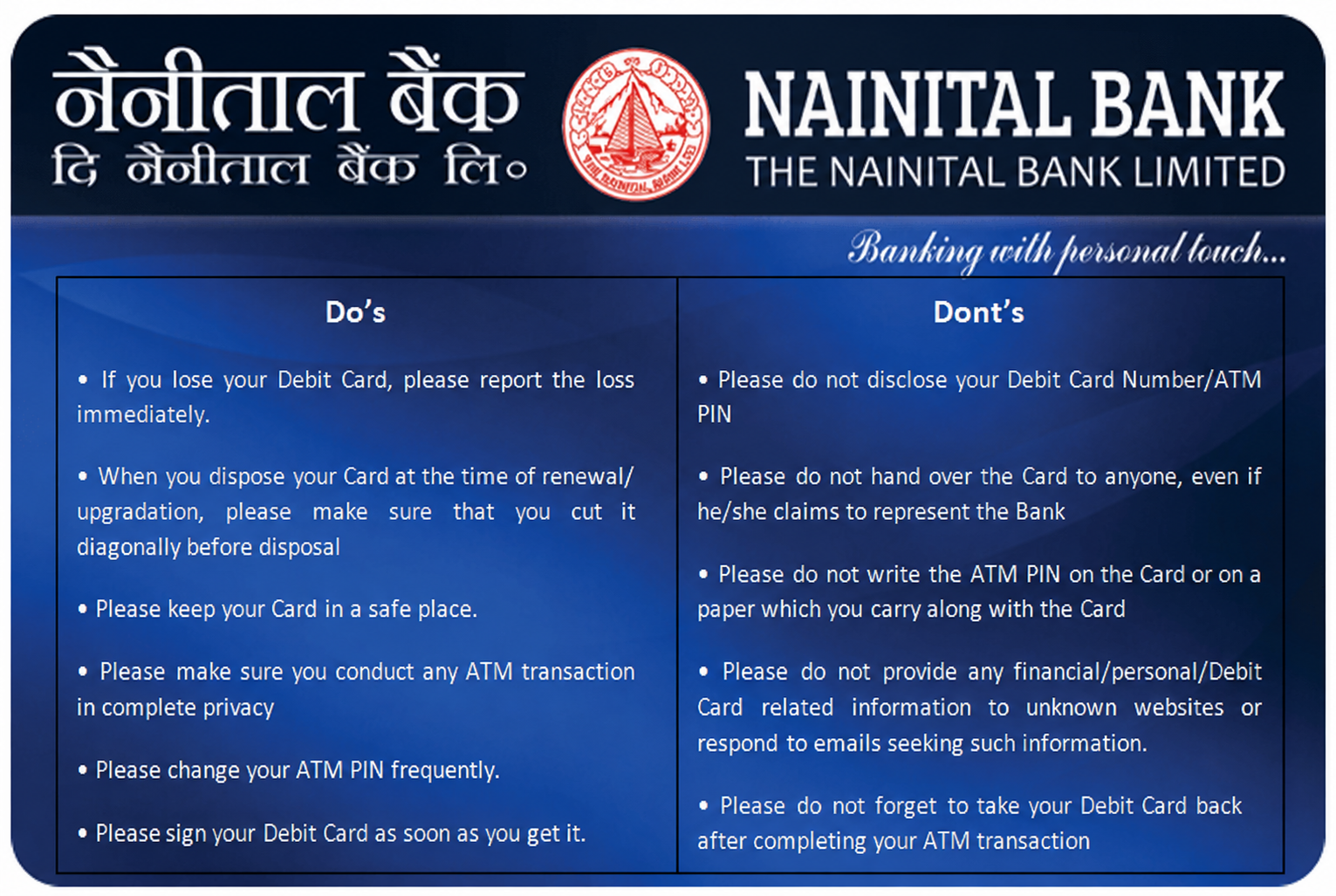
Customers should observe following Do's and Don'ts to keep their transaction safe and secure at ATM:
Please note that our Bank officials will never ask for card details or PIN over telephone / email. So, do not respond to any calls/phishing mails from people indicating that they represent our Bank.
- Customer should conduct ATM transactions in complete
- Only one card holder should enter and access the ATM
- He/she should never lend his/her card
- Do not write PIN on the back of the Card or on the case.
- Never share PIN/OTP with anyone
- Never seek help from anybody by handing over the card and revealing the ATM
- Never let anyone see the ATM PIN while it is being entered at the ATM
- Never use a ATM PIN that could be easily guessed, e.g. his/her birthday, birthday of spouse or telephone number.
- If you observe any unauthorized card transaction immediately report to the Bank.
- Beware of any extra devices attached to the ATM. These may be put to capture customer's data fraudulently. If any such device is found, inform the Caretaker / Bank
- Keep an eye on suspicious movements of people around. Customer should beware of strangers trying to engage him/her in conversation or offering assistance / help in operating the ATM
9. What happens if customer forget the Card PIN?
Customer may regenerate the card PIN with the help of Card Safe application (Sarvatra) or may submit the PIN regeneration request to the branch.
10. What if the card is lost?
Immediately call at Bank's Toll Free number 1800 180 4031 or land Line Number 05946-250152 to get the card blocked or customer may set the card limit to 'zero' temporarily with the help of Sarvatra CardSafe application to avoid any Financial loss.
11. What is CVV (Card Validation Value)?
It is a three (3) digit number printed on the back of the card.
12. What to do if my phone number has changed?
Please get in touch with your bank for registering your new mobile number. Do not forget to update the same every time whenever you change the number.
13. How can customer get One Time Password (OTP)?
Customer will get it on his/her mobile number that is registered with the bank.
14. Will this OTP be valid while re-trying the transaction?
No, the OTP is valid for single transaction only.